
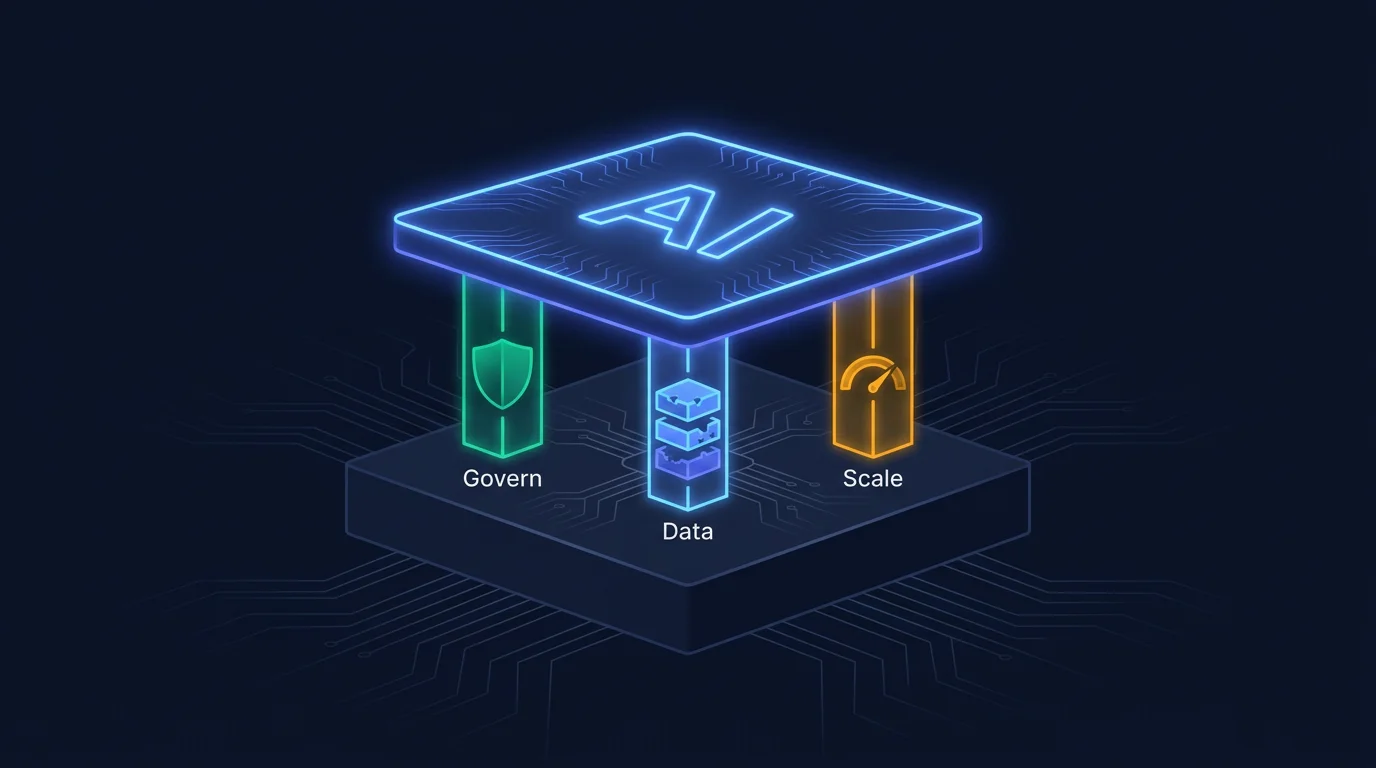
Most articles on this topic walk through a five-phase readiness framework that reads like a consulting proposal. I tried reading ten of them while preparing this post. They all say the same things in the same order.
I’m going to share what we learned building DOCKR, PASSR, and TESTR instead. Three products that integrate generative AI with real enterprise systems in three different ways. The mistakes we made taught us more than any framework would have.
If your organization is trying to add generative AI to an existing automation platform, you have working systems, established workflows, and teams that know those systems. The pressure is to add AI without breaking what already works. The gap between “we added an LLM endpoint” and “we have a production AI integration that delivers measurable value” is wide. This post is about crossing that gap.
Start with your existing system, not the AI model
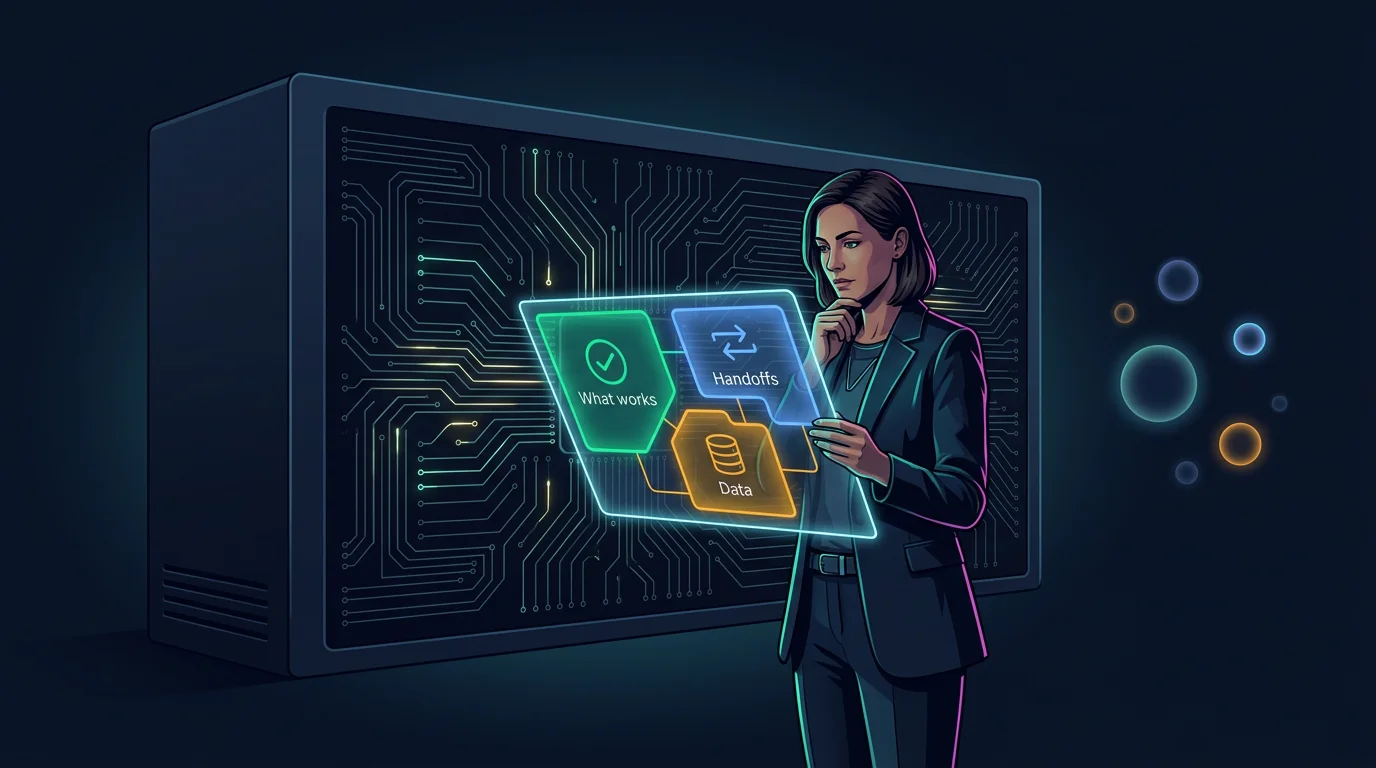 Map what works, where the handoffs are, and where the data lives before choosing a model.
Teams pick a model first. GPT-4, Claude, Llama, Gemini. They run benchmarks, compare token costs, test prompts. Then they try to bolt the model onto an existing platform and discover that model choice was the smallest decision they had to make.
The bigger decision is understanding your existing system well enough to know where generative AI adds value and where it creates new failure modes. Before you evaluate a single model, map three things.
What your automation platform already does well. Your CI/CD pipeline handles deployment. Your issue tracker manages tickets. Your monitoring stack alerts on anomalies. Generative AI does not need to replace those functions. It needs to augment them at the points where human time gets spent on work that could be automated or accelerated.
Where the handoffs are. Every automation platform has handoffs between systems. Code goes from developer to review. Tickets go from PM to developer. Incidents go from monitoring to on-call. These handoffs are where generative AI adds the most value because they are where context gets lost, where communication breaks down, and where delays accumulate.
Where the data lives. Your existing platform has data in repositories, databases, APIs, logs, and documentation. Generative AI needs access to that data to be useful. Enterprise data has permissions, access controls, and sensitivity levels. Mapping data access before you build is cheaper than discovering you have a security problem after you deploy.
When we built DOCKR, we spent two weeks mapping how documentation actually flowed through engineering teams before writing any AI code. Who writes it. Who reads it. When it goes stale. Where it lives. That mapping exercise determined the integration architecture. The model choice came later and was a straightforward decision by comparison.
Three integration patterns
There are three ways generative AI connects to an existing enterprise automation platform. Each has a different complexity profile, governance requirement, and risk surface.
Pattern 1: API-first (GenAI as a service called by your platform)
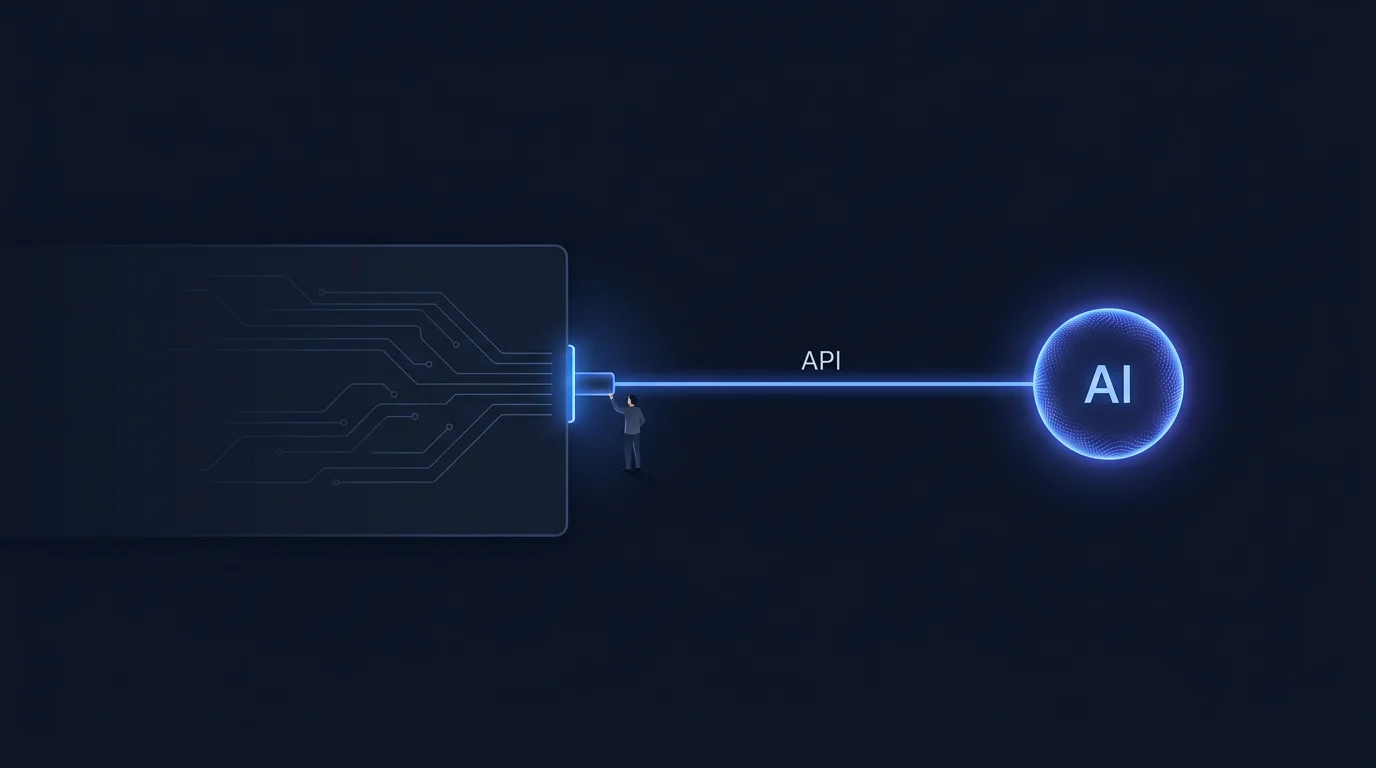 API-first: the narrowest connection. AI is a service your platform calls. Human stays in control.
Your existing platform calls a generative AI API at specific points in its workflow. The AI receives input, returns output, and your platform decides what to do with it.
This is the simplest pattern. Your existing architecture stays intact. You add an API client, define when calls happen, and handle the response. No new infrastructure. No model hosting. No pipeline changes.
When to use it: When you need generative AI for a specific, well-defined task inside an existing workflow. Code summarization, PR description generation, ticket classification, documentation drafting. The AI does one thing, returns a result, and your platform incorporates it.
What we learned building PASSR this way: PASSR reviews pull requests by calling an LLM to analyze code diffs. The existing CI/CD pipeline stays unchanged. PASSR hooks into the PR webhook, sends the diff to the model, and posts review comments back. The integration point is narrow, the governance is straightforward (every review is visible in the PR), and the failure mode is graceful. If the AI is wrong, the human reviewer ignores the comment. The key design decision was making the AI output advisory, meaning the human reviewer still decides what gets merged.
What breaks at scale: API rate limits, latency under load, and cost. When you go from 10 PRs per day to 500, the API-first pattern needs queuing, caching, and cost controls. Plan for this on day one even if you are starting small.
Pattern 2: Event-driven (GenAI reacts to events in your pipeline)
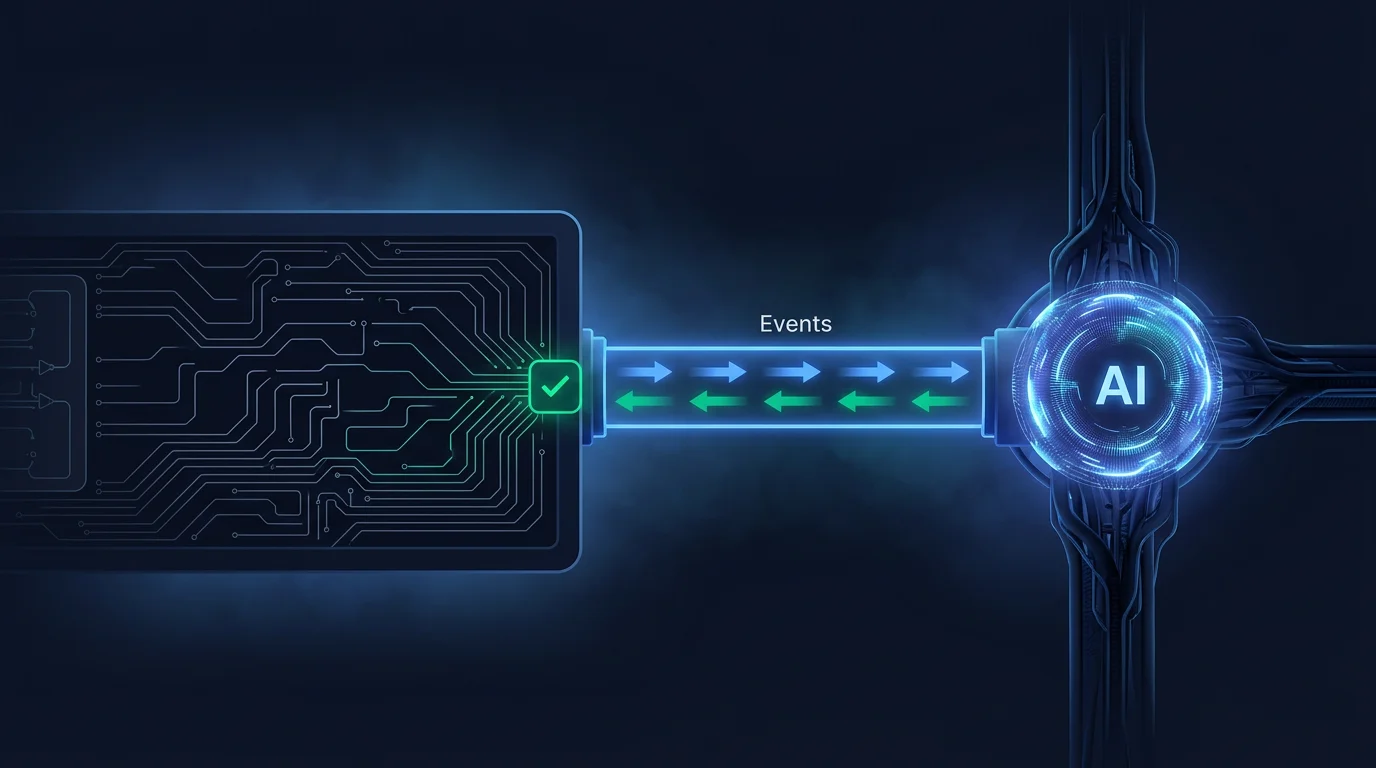 Event-driven: AI reacts to your system’s events and takes action with human approval.
Your existing platform emits events. A commit lands. A build fails. A ticket changes status. A deployment completes. Generative AI listens to those events and takes action.
This pattern is more powerful than API-first because the AI initiates work rather than waiting to be called. It also introduces more complexity because the AI is now an autonomous actor in your pipeline.
When to use it: When you want generative AI to take initiative based on what is happening in your system. Automatic test generation on commit. Incident analysis on alert. Documentation updates on merge. These are reactive workflows where the AI responds to real events.
What we learned building TESTR this way: TESTR listens for commit events, analyzes the changed code at the AST level, generates unit test cases, and submits them for human approval. The AI is triggered by an event, meaning the critical design decision was the human approval gate. TESTR generates tests but does not merge them. A human reviews and approves. This keeps the AI autonomous in its generation but subordinate in its authority. The event-driven pattern works when you clearly define what the AI can do on its own and what requires human sign-off.
What breaks at scale: Event storms. When 50 commits land in an hour, your AI system needs to handle concurrency, prioritize work, and avoid redundant processing. Event-driven AI without rate limiting and deduplication will overwhelm your infrastructure and your reviewers.
Pattern 3: Embedded (GenAI runs inside your platform as a native module)
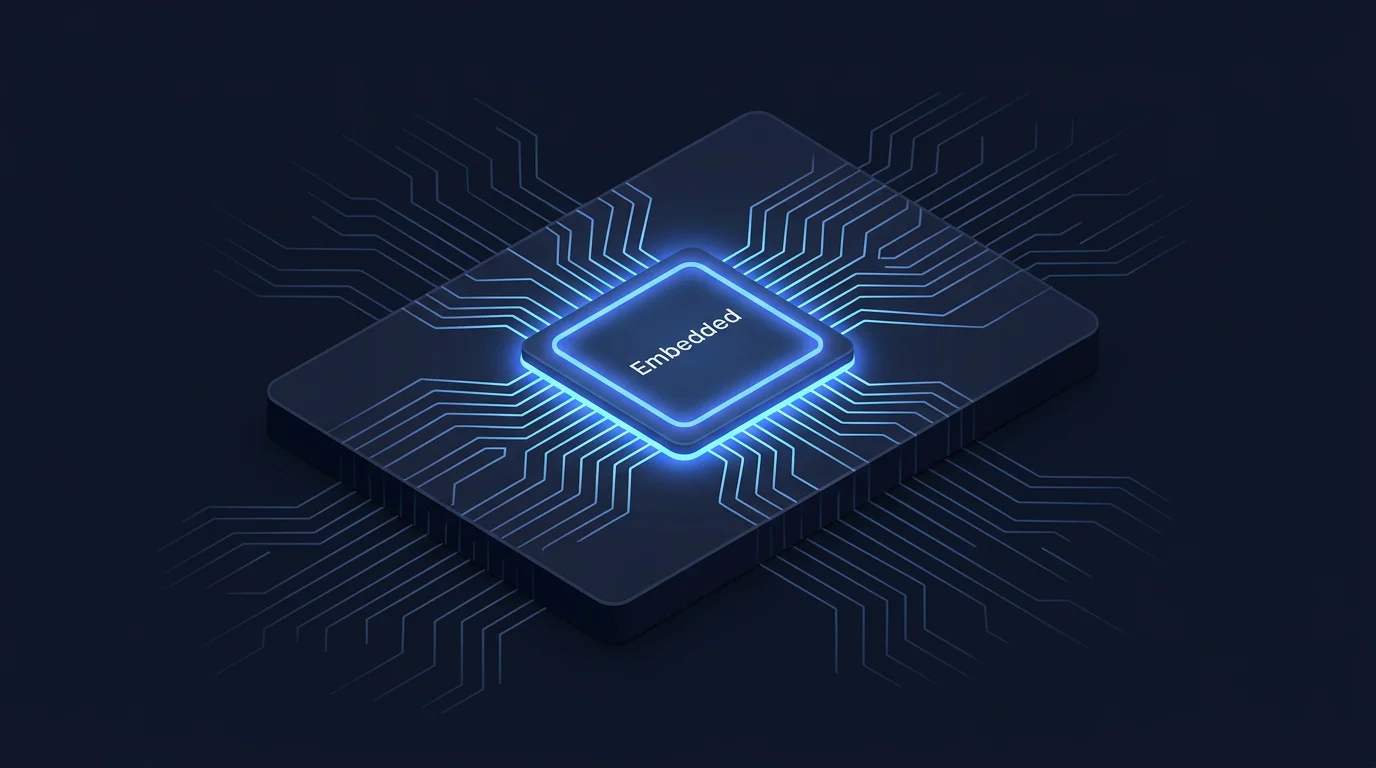 Embedded: AI lives inside your platform. The deepest integration with full stack ownership.
Generative AI is built into the platform itself. The AI is part of the product’s core functionality.
This is the deepest integration. It requires the most engineering effort, the most governance, and the most careful design. It also delivers the most value because the AI has full access to the platform’s data, context, and capabilities.
When to use it: When generative AI is a core feature of your product. DOCKR’s documentation generation, PASSR’s code analysis, TESTR’s test case synthesis. The AI is the product.
What we learned building DOCKR this way: DOCKR analyzes code repositories and generates documentation. The AI is the documentation tool. This meant we had to solve problems that API-first and event-driven patterns do not have: managing large codebases within context limits, maintaining consistency across documentation sections, keeping documentation in sync as code changes, and handling 11 programming languages with different syntax and semantics. The embedded pattern requires you to own the full stack: data pipeline, model interaction, output quality, and user experience. You will spend most of your time on systems engineering problems that happen to involve AI.
What breaks at scale: Everything. Context window limits, multi-language support, consistency across outputs, stale context, and the cost of running AI continuously on large codebases. The embedded pattern is the most powerful but it is also the one where you will spend the most time on engineering problems that are not AI problems at all.
From single calls to agentic systems
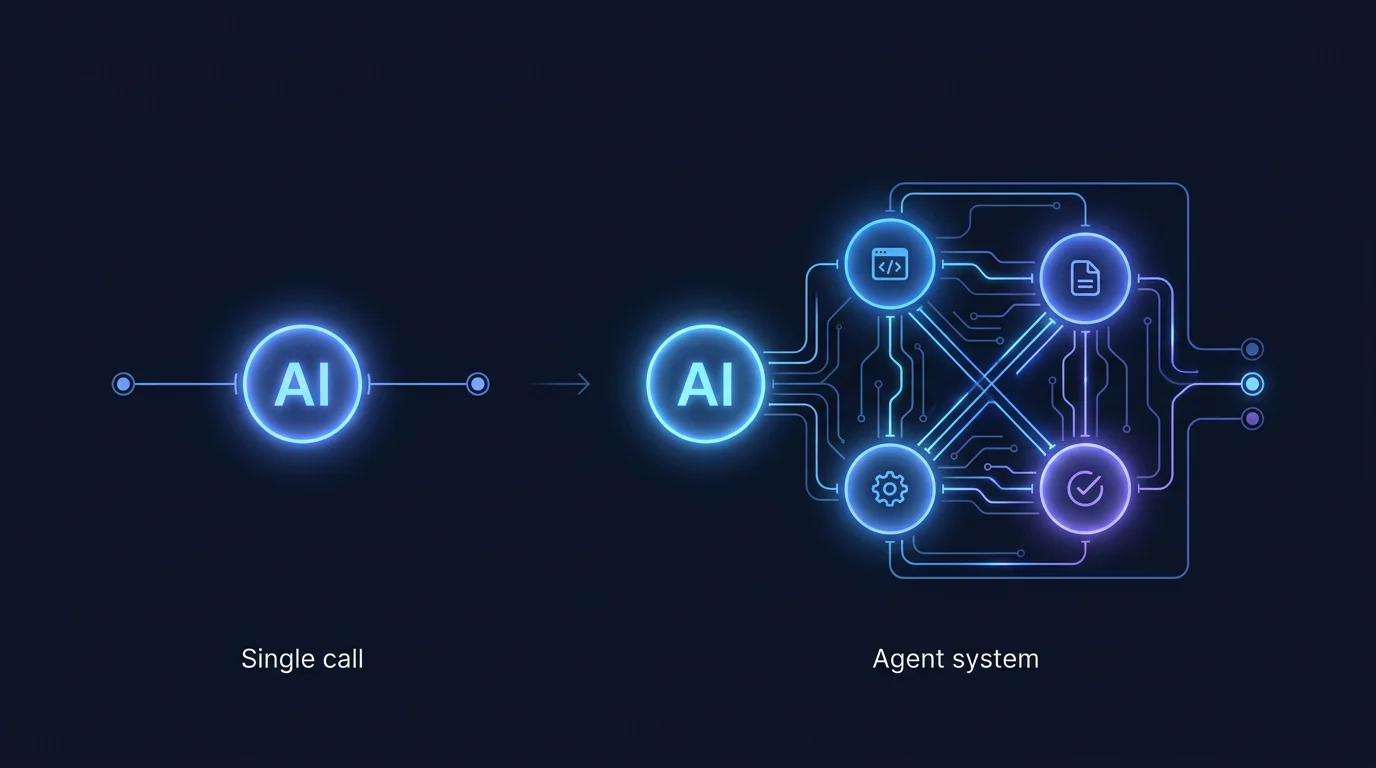 Production AI does not stay simple. Single calls grow into pipelines of specialized agents.
The patterns above assume a single LLM call. You send a prompt, get a response. That is where most integrations start. But production systems don’t stay simple. You add tool access and multi-step reasoning. Eventually you’re running a system of AI agents. Each one handles a specific job.
All three Flytebit products went through this. DOCKR started as a single prompt that generated documentation from code. Today it runs a multi-agent pipeline where one agent analyzes code structure, another picks documentation candidates, a third writes sections in dependency order, and a fourth cross-references for consistency. PASSR took a different route. It moved from one code review prompt to specialized agents for security, performance, style, and correctness, each with its own tools and evaluation criteria. TESTR went from generating tests in a single pass to a pipeline that analyzes AST structure, finds edge cases, generates test suites, and validates them against coverage targets.
The integration patterns do not change. API-first, event-driven, and embedded still apply. But you deal with the hard parts inside the AI layer now. Governance, security, scaling, cost. All harder with multiple autonomous actors instead of one.
The data bridge: RAG without the hype
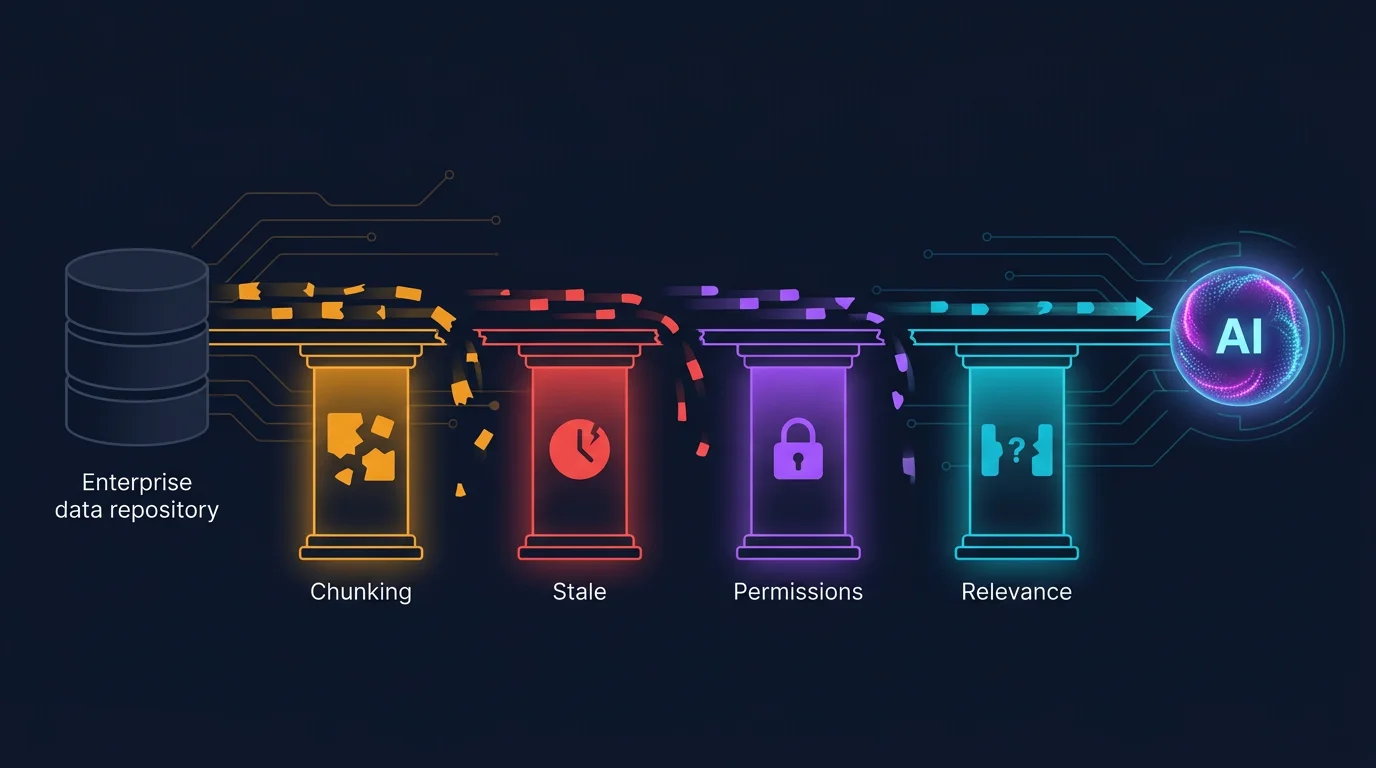 RAG is a bridge between your data and the AI. Four structural weak points must be fixed before deployment.
Retrieval-augmented generation (RAG) is the standard approach for connecting generative AI to enterprise data. The concept is sound: retrieve relevant context from your data stores, feed it to the model along with the prompt, and get responses grounded in your actual data rather than the model’s training corpus.
In practice, RAG has four failure points that most teams discover after deployment.
Chunking strategy. You split your documents into chunks, embed them, and store them in a vector database. The chunking strategy determines retrieval quality. Too small and you lose context. Too large and you dilute relevance. There is no universal answer. You need to experiment with chunk sizes based on your data type. Code documentation chunks differently from API references, which chunk differently from architectural decision records. We use different chunking strategies for different document types in DOCKR, and that decision alone improved retrieval relevance by roughly 40%.
Stale context. Your enterprise data changes. Code gets updated. Documentation goes stale. Policies change. If your vector database is not synced with your source data, the AI retrieves outdated information and presents it as current. This is a pipeline problem, not a model problem. You need webhook-triggered re-indexing or scheduled syncs. In DOCKR, every push triggers a re-analysis of the changed files. The documentation is always in sync with the code because the sync is automated.
Permission boundaries. Enterprise data has access controls. Not every user should see every document. If your RAG pipeline retrieves from a shared vector database without respecting source permissions, you have a data leak. This is the most serious RAG failure mode and the one most teams overlook. Your retrieval layer needs to enforce the same permissions as your source systems. In practice, this means either filtering results by user permissions after retrieval or maintaining separate indexes per permission level.
The gap between retrieval and relevance. Vector similarity is not semantic relevance. A chunk that is mathematically similar to the query may not answer the question. This is the hardest problem to solve because it requires evaluating retrieval quality, not just retrieval speed. Start with simple cosine similarity, measure how often retrieved context actually helps the model answer correctly, and iterate from there. Do not assume that a vector database plus an embedding model equals good retrieval.
You do not always need RAG. If your use case has a narrow context window (analyzing a single PR diff, generating tests for one function, summarizing one document), you can pass the context directly to the model without retrieval. RAG is necessary when the context exceeds the model’s window or when you need to search across a large corpus. Adding RAG when you do not need it introduces complexity and failure modes without benefit.
Orchestration: build vs use existing frameworks
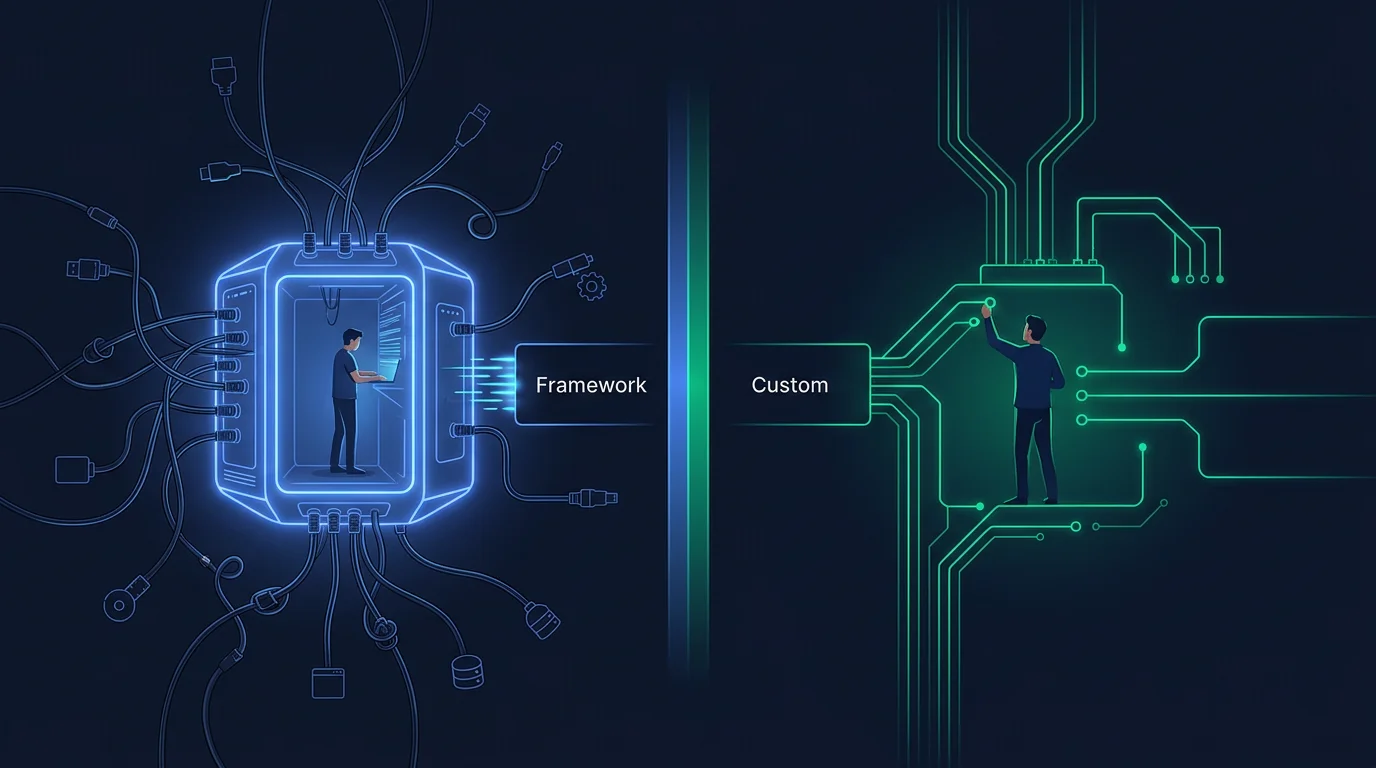 Frameworks give speed for prototyping. Custom orchestration gives control for production.
LangChain, LlamaIndex, Semantic Kernel, Haystack. These frameworks provide abstractions for building LLM applications: prompt templates, chains, agents, memory, tool integration. They are useful for prototyping. The question is whether they hold up in production.
The answer depends on what you are building, and the dependencies are rarely what you expect.
When frameworks help: Rapid prototyping, standard patterns (summarization, Q&A, classification), and when you need a community ecosystem of integrations. LangChain’s connector library is useful if you need to connect to 20 different tools and APIs quickly.
When frameworks get in the way: Custom workflows, performance-sensitive applications, and when you need fine-grained control over prompt construction, token usage, and error handling. Framework abstractions hide the things you need to see when debugging production issues. A chain that works in development can fail in production for reasons that are invisible inside the framework’s abstraction layer.
When to build your own: When your orchestration needs are specific to your domain. DOCKR’s documentation pipeline does not use LangChain. It uses a custom orchestration layer because the workflow is specific: analyze code structure, identify documentation candidates, generate sections in dependency order, cross-reference between sections, and maintain consistency across the output. A generic chain abstraction does not model this workflow well. Building the orchestration directly took more time upfront but gave us control over every decision point, which mattered when we scaled to large codebases.
The practical advice: start with a framework if you are prototyping. Move to custom orchestration when you hit the limits of the framework’s abstractions. Do not commit to a framework for your production architecture before you have tested it with your actual data, your actual latency requirements, and your actual error cases.
Security and governance as design decisions
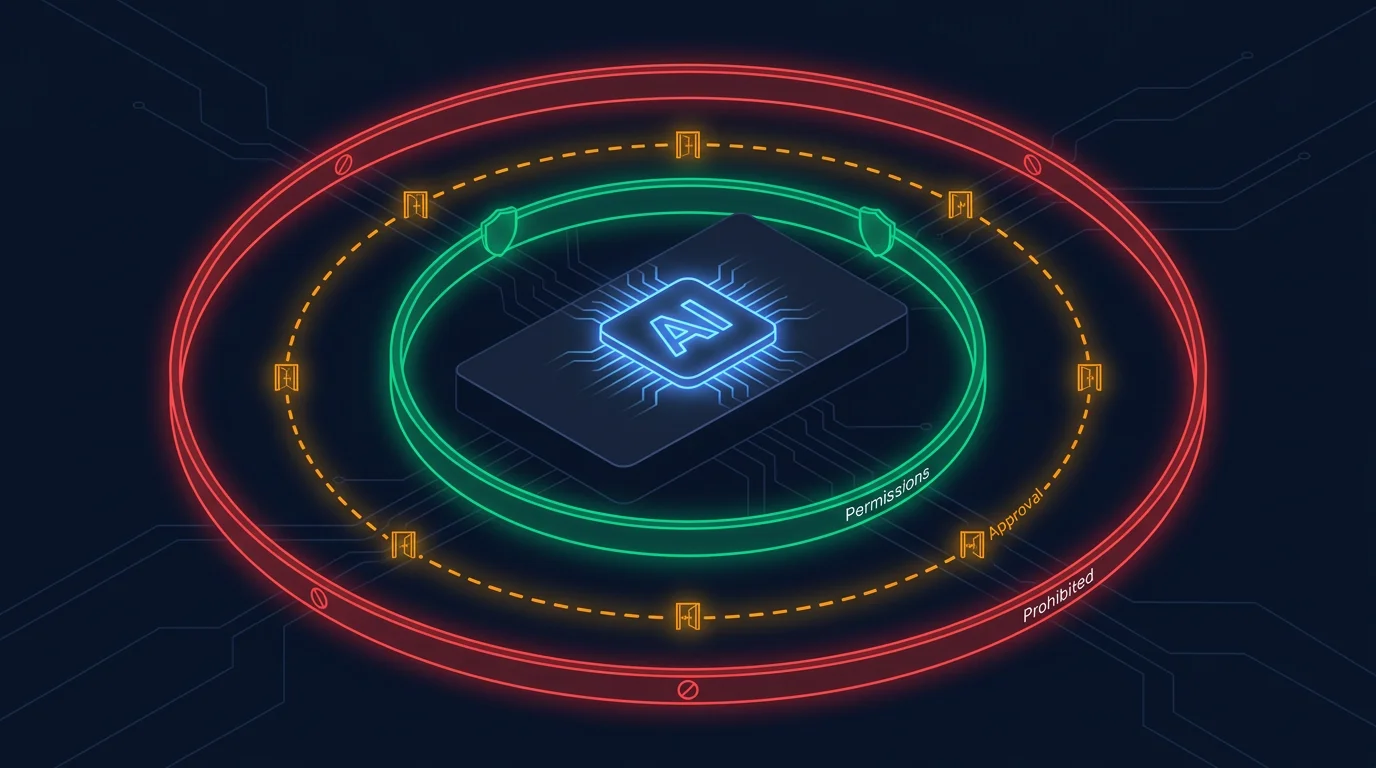 Governance as architecture: permissions, approval gates, and prohibited actions as concentric boundary layers.
Most security sections in AI integration articles read like a compliance checklist: encrypt data, implement RBAC, audit logs, GDPR compliance. Those are all necessary. They are table stakes. The real security decisions in generative AI integration are design decisions.
What the AI can do autonomously vs what requires human approval. This is the single most important governance decision. In PASSR, the AI can post review comments on PRs autonomously. It cannot merge code. It cannot change CI configuration. It cannot modify production infrastructure. The autonomy boundary is explicit and enforced at the system level, not at the prompt level. Prompts can be jailbroken. System-level permissions cannot.
What data the AI can access. Your generative AI integration will have access to whatever data you give it. If you connect it to your entire codebase, it can read your entire codebase. If you connect it to your customer database, it can read your customer database. Design the data access layer before you build the AI layer. In TESTR, the system runs inside the customer’s VPC. Source code never reaches Flytebit servers. This is the architecture, not a security feature added after the fact.
Output guardrails. Generative AI can produce incorrect, harmful, or sensitive output. You need validation layers between the AI output and the action taken on that output. In PASSR, every AI-generated review comment is tagged with a severity level and a category. Critical findings are surfaced prominently. Low-confidence findings are marked as suggestions. The user interface makes the confidence level visible so reviewers can weigh the AI’s input appropriately.
Audit trails. Every AI action should be logged: what was sent to the model, what was returned, what action was taken, and who approved it. This is for debugging, not just compliance. When the AI produces a wrong result, you need to trace back through the chain to find where the error occurred. Was it the prompt? The retrieved context? The model? The post-processing? Without an audit trail, you are guessing.
GDPR, HIPAA, and regulatory considerations. If you are processing personal data or health information, you need to ensure your AI integration complies with relevant regulations. This typically means data residency (the model runs in a region where your data is allowed to be), data retention (you do not store user data longer than necessary), and the right to explanation (you can explain how an AI-generated decision was made). These are legal requirements that constrain your architecture. Involve your legal team early, not after you have built the system.
What breaks when you scale
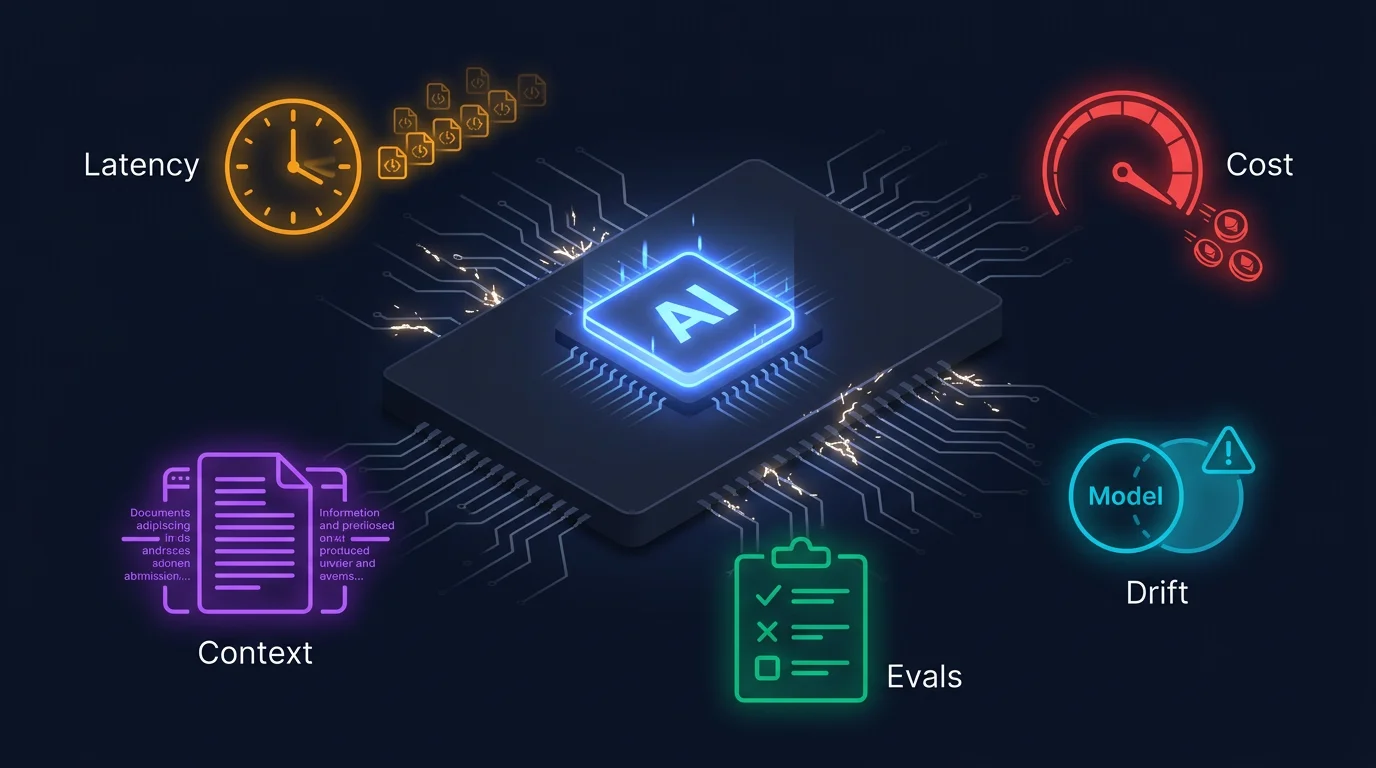 Latency, cost, context limits, model drift, and the eval gap: the five failure modes that appear in production.
Patterns that work in pilot fail in production. This is true of every software system, but generative AI amplifies it because the failure modes are less predictable.
Latency at volume. A single LLM call takes 2-10 seconds. That is acceptable when you are processing one PR. When you are processing 200 PRs in a burst, your users are waiting minutes for reviews. You need queuing, parallelism, and caching. In PASSR, we implemented incremental review: only the changed code is analyzed, not the entire PR. This reduced average latency by 70% at scale.
Context window limits. Large codebases exceed model context windows. Large documents exceed them. Long conversations exceed them. You need strategies for working within limits: chunking, summarization, selective context inclusion, and knowing when to split a task into multiple smaller calls. In DOCKR, we analyze files individually and then cross-reference at a higher level. This keeps each model call within context limits while still producing coherent documentation across the codebase.
Cost explosion. Generative AI costs are per-token. In development, you test with small inputs. In production, your inputs are 10-100x larger. A prompt that costs $0.01 in testing can cost $1.00 in production. Multiply by thousands of calls per day and your AI budget becomes a line item that finance notices. Implement cost monitoring from day one. Set per-request token limits. Cache results for identical inputs. In TESTR, we cache generated test cases against the specific code they cover. When a developer or reviewer opens a PR and the code has not changed, the LLM call is skipped entirely. The cached tests are served directly.
Drift in model behavior. Model providers update their models. Your prompts that worked with GPT-4-0314 may produce different results with GPT-4-0613. This happens regularly. You need prompt regression testing: a set of test cases that you run against model updates to detect behavior changes before they reach production.
The eval gap. Most teams judge AI output by vibe. A developer looks at a generated review comment or a documentation section and thinks “looks right.” That works when you generate 10 outputs a day. It falls apart at 500. You need structured evals: a fixed set of test cases with expected outcomes, run automatically on every model update and every prompt change. In DOCKR, we maintain a golden set of 200 code snippets across 11 languages. Each snippet has expected documentation output. When we change a prompt or swap a model, we run the full eval set and compare. If accuracy drops below our threshold, the change does not ship. PASSR uses a labeled dataset of 500 PRs where human reviewers marked each finding as valid, invalid, or borderline. Every prompt change runs against this dataset. We track precision and recall, not gut feel. TESTR evaluates generated tests by running them. If the tests compile, pass against the source code, and hit the coverage targets we set, they pass the eval. If not, they fail. No human judgment needed in the loop. The test either runs or it does not.
The trap is waiting too long to build evals. Teams ship for six months on vibe checks, then a model update breaks something subtle and they cannot figure out what changed because they have no baseline to compare against. Build the eval set early. It is boring work. Do it anyway.
The governance gap at scale. When 5 people use your AI integration, informal oversight works. When 500 people use it, you need formal governance. Who can approve prompt changes? Who monitors AI output quality? Who responds when the AI produces incorrect results at 2 AM? These are organizational questions, and they need answers before you scale.
How Flytebit approaches this
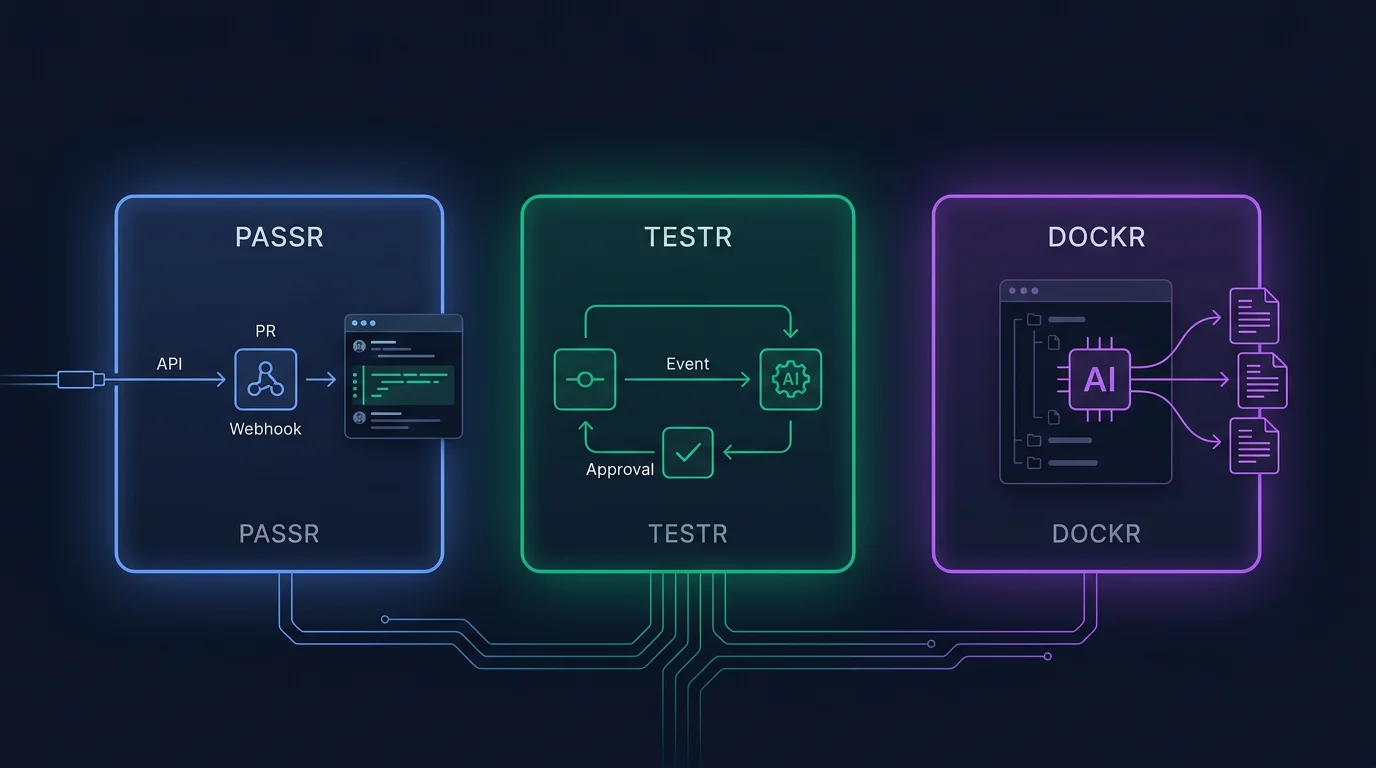 PASSR (API-first), TESTR (event-driven), and DOCKR (embedded): three products, three patterns, one approach.
We built three products that integrate generative AI with existing enterprise systems. The integration problems we encountered shaped the advice in this post.
DOCKR integrates with existing code repositories (GitHub, GitLab, Bitbucket) to generate and maintain documentation. The integration pattern is embedded. DOCKR’s AI is the product. The key decisions were webhook-triggered sync for freshness, per-file analysis for context management, and multi-language support through AST-based parsing rather than raw text processing.
PASSR integrates with existing CI/CD pipelines to review code. The integration pattern is API-first. PASSR hooks into PR webhooks and posts review comments. The key decisions were advisory-only output (the AI suggests, the human decides), incremental review for latency management, and an eight-category taxonomy that structures the AI’s analysis into consistent dimensions.
TESTR integrates with existing commit workflows to generate unit tests. The integration pattern is event-driven. TESTR reacts to commit events, generates test cases, and submits them for human approval. The key decisions were VPC-only deployment for data security, human-in-the-loop approval for governance, and AST-level analysis for test case generation that does not rely on prompt engineering alone.
The common thread across all three: we started with the existing system. We identified the specific point where generative AI adds value. We designed the integration pattern around that point. We built governance into the architecture. And we scaled carefully, solving production problems as they arose rather than assuming the pilot pattern would hold.
If you are integrating generative AI with your existing enterprise automation platforms, the approach is the same. Map your system. Choose your integration pattern. Bridge your data carefully. Orchestrate with intent. Govern by design. Plan for scale from the beginning, even if you are starting small.
Working with Flytebit
At FLYTEBIT TECHNOLOGIES, we build AI products that integrate with real enterprise systems. DOCKR generates living documentation from your codebase. PASSR reviews every PR automatically. TESTR generates unit tests from source code. We also deliver Agentic AI Systems and Vibe Coding Transformation engagements for organizations that need custom AI integrations.
Ready to get started?
- Visit us at: flytebit.com
- Follow FLYTEBIT TECHNOLOGIES on LinkedIn for insights and updates
- to discuss your AI integration use cases
Related Reading
New to agentic AI concepts?
👉 Understanding Agentic AI: Complete Guide
Start here if you want to understand how autonomous AI systems differ from traditional automation and what makes a system “agentic.”
Been down the AI implementation path before?
👉 The 6 Biggest AI Implementation Mistakes (And How to Avoid Them)
Common failure patterns in AI implementations and actionable frameworks for governance, data readiness, and adoption.
Deciding between building and buying?
👉 How to Build Agentic AI Systems
Build vs buy decisions, framework comparison, architecture patterns, and governance for production agentic AI systems.
Key Takeaways
- ✅ Map before you build: Understand what your existing system does well, where the handoffs are, and where the data lives before choosing a model.
- ✅ Pick the right integration depth: API-first for narrow tasks, event-driven for reactive workflows, embedded when AI is the product.
- ✅ RAG has four failure points: Chunking strategy, stale context, permission boundaries, and the gap between vector similarity and semantic relevance.
- ✅ Governance is a design decision: Define autonomy boundaries at the system level, not the prompt level. Prompts can be jailbroken. System permissions cannot.
- ✅ Plan for scale from day one: Latency, context limits, cost monitoring, and model drift will all hit you in production. Build for them before you need them.
- ✅ Frameworks are for prototyping: Start with LangChain or LlamaIndex for speed. Move to custom orchestration when you hit abstraction limits in production.
Frequently Asked Questions
What are the best practices for integrating generative AI with existing enterprise automation platforms?
Start by mapping your existing system: what it does well, where the handoffs are, and where the data lives. Choose from three integration patterns: API-first (GenAI as a service called by your platform), event-driven (GenAI reacts to pipeline events), or embedded (GenAI runs as a native module). For data access, use RAG when context exceeds model windows, but solve chunking strategy, stale context, permission boundaries, and retrieval quality before deploying. Build governance into the architecture: define what the AI can do autonomously, what requires human approval, and what is prohibited. Plan for scale from day one: latency, context limits, cost monitoring, and model drift. Start small with a focused pilot, prove value with measurable outcomes, then expand.

Ready to Transform Your Business with AI?
Let's discuss how Agentic AI and intelligent automation can help you achieve your goals.